1 minute readImproved
Plain names for every scope in the API keys dialog
Each scope in the Create new secret key dialog has a plain name, such as "Read billing" or "Manage webhooks", with its id underneath and a one-line description.
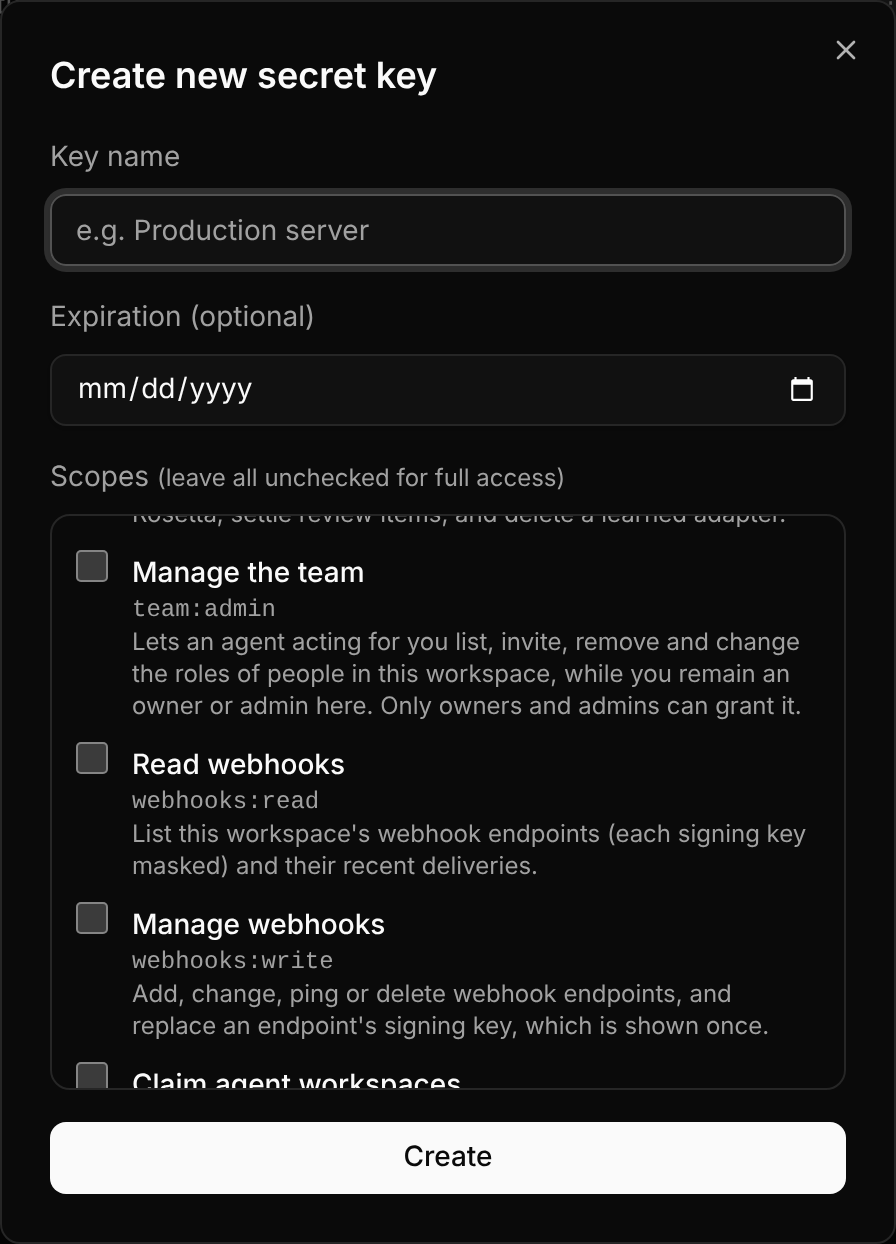
Every scope reads like "Read billing" or "Manage webhooks", with its id, such as billing:read, underneath for code. Each description says what the scope lets a key do.
The keys table shows Created, Expires and Last used in the same date format.